Fazua Ride 50 speed unlock from a Mac, no box
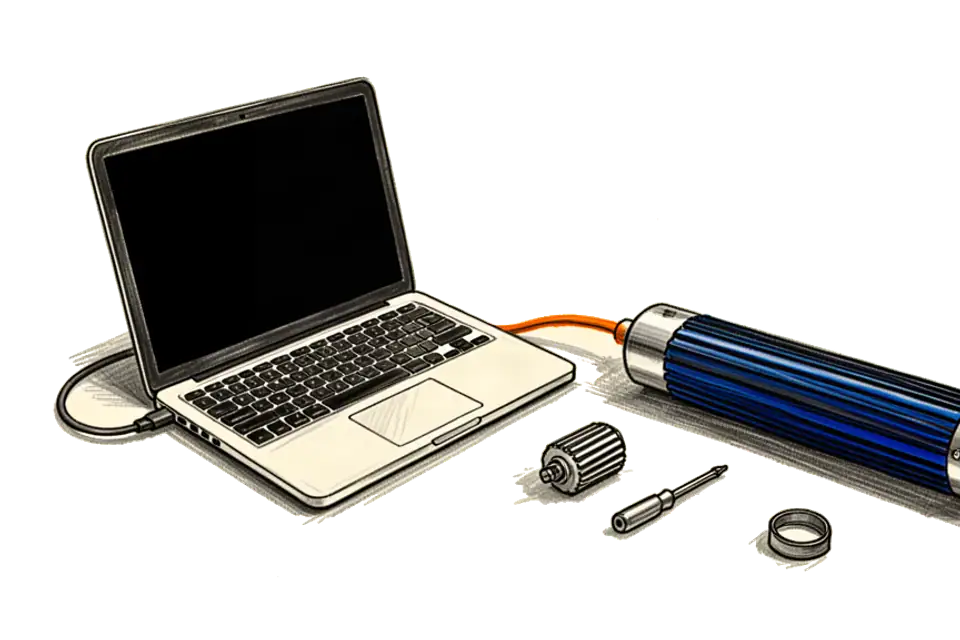
TL;DR: The Fazua Ride 50 stores its 25 km/h limit as one value in the drivepack. On firmware 2.04 you can change it over USB. I did it from a MacBook Pro M4. The open source tool was Windows only, so my agent swapped its USB layer for hidapi. Firmware 2.50 had to go back to 2.04 first, through the official FAZUA Toolbox. The 2.04 file is the original from fazua.com. Read back after writing, 55.01 km/h. The Badass Box is not needed for this.
The bike and the problem
My bike is a Canyon Roadlite:ON AL 7.0 from 2020, size M, pace grey and orange. The motor is a Fazua Evation, which Fazua today calls Ride 50 Evation. The drivepack, motor and battery in one long piece, sits in the down tube and comes out with one lever. The battery is an Energy 250, the touch remote is built into the frame. There is no display on the handlebar, so the bike never tells you how fast you are.
Before this my drivepack ran firmware 2.50 and the battery firmware 1.15. That I only know because I read it out with the FAZUA Toolbox, see below.
The assist stops at 25 km/h, like on every pedelec in the EU. I wanted to see how the bike feels with more. So on 7 October I bought a Badass Box 4 for Fazua. I wrote about it in Badass Box 4 on a Fazua Ride 50, the yellow light. It worked for one or two minutes, then the top LED blinked yellow again. Magnet closer, other spoke, turned 90 degrees, Badass support said the installation looks good. Still yellow after a few minutes of riding.
The idea, change one number instead of fooling the sensor
The Badass Box sits on the speed sensor at the chainstay and changes the pulses from the spoke magnet, so the motor thinks you are slower than you are. That is a trick on the signal, and on my bike Fazua noticed it after a while and flagged a soft fault.
The motor itself only compares your speed with one stored value. Fazua calls it bikeMaxSpeed. Dealers can see it in the Toolbox, but for normal users it is greyed out. If you change that value, there is nothing to fool. The sensor reports the real speed and the motor simply helps longer.
My agent found two ways to do that. The Italian company Eplus sells Flash Home for 134 euros plus VAT, Windows only. And there is FazuaUnlocker on GitHub by quezzas, free, MIT licence, also Windows only. Both say the same thing. It works on firmware 2.04. On 2.50 you first go back to 2.04.
before (box)                           after (software)

spoke magnet -> [box] -> sensor        spoke magnet -> sensor
                 |  fake slower                         |  real speed
                 v                                       v
drivepack: limit 25 km/h               drivepack: limit 55 km/h
           -> yellow after 1-2 min                -> no box, no yellow
What I used
- The bike, battery fully charged.
- A MacBook Pro M4, 16 GB, macOS 15.5. It runs on Apple Silicon, no Windows, no virtual machine.
- A mini USB data cable. Not a charging only cable.
- A Torx T10 screwdriver for the USB cap.
- FAZUA Toolbox 2.29 basic for macOS on Apple Silicon, from the Fazua website.
- Firmware 2.04, file evation_Software_2.04.bin. The original fazua.com link is gone, but the Internet Archive kept it from 9 July 2022. SHA-256 8fe885c9dfc7caa9cf8e61b88051bf8d42da53747c4fd86d2b72c3c2ef23d32e. My agent compared it with the copy that circulates on GitHub, and they are identical to the byte.
- My fork of FazuaUnlocker, github.com/eminogrande/FazuaUnlocker, with Python 3.9 and the hidapi library.
The original tool talks to the drivepack through the Windows USB functions. My agent left the protocol, the checksum and the write logic exactly as they are and only replaced that one layer with hidapi, which also runs on macOS. That is the file fazua_mac.py, about 75 lines. The firmware itself is encrypted, so nobody here changes the firmware. The tool only changes a setting.
Step 1, connect the drivepack to the Mac
- Take the drivepack out of the bike. The battery stays inside the drivepack and has to be switched on.
- Unscrew the USB cap on the drivepack with the T10. It sits at the bottom near the cooling fins.
- Connect the mini USB cable to the Mac and lay the drivepack flat on the floor or a table.
- Check that the Mac sees it. In the terminal
system_profiler SPUSBDataType | grep evationshowedevation v2.50for me. For the tool it is a USB HID device with ID 10C4:1001.
Fazua says in its own guide that you only need the drivepack for a firmware update, not the whole bike. The wheel does not need to turn for any of this.
Step 2, read before you write
Quit the FAZUA Toolbox first, because it holds the USB connection. Then:
git clone https://github.com/eminogrande/FazuaUnlocker.git
cd FazuaUnlocker
python3 -m venv .venv && .venv/bin/pip install -r requirements-mac.txt
.venv/bin/python fazua_mac.py --read-only
Mine answered after about 110 ms. Max Bike Speed 24.98 km/h, raw value 694. Wheel length 2121 mm. Shaft offset 30533. The tool derives a small write key from that offset, mine was ba88. My agent saved this readout as a JSON file, so I can always go back to exactly these values.
Then a dry run, which builds the write packet with checksum but sends nothing:
.venv/bin/python fazua_mac.py 55 --dry-run
Step 3, downgrade to 2.04
This is the part with real risk. If the flash is interrupted, the drivepack can be dead. So battery full, cable fixed, drivepack lying still.
- Open the FAZUA Toolbox, go to FIRMWARE UPDATE, click UPDATE NOW.
- Choose Manual. Not Online, because Online installs the newest version again.
- Pick evation_Software_2.04.bin and check the file name before you press START.
- Wait. After the flash the motor calibrates and can vibrate a bit. Do not move the drivepack.
- Check again with system_profiler. Mine now said
evation v2.04.
Reading again after the downgrade still showed 24.98 km/h. The firmware change alone does not unlock anything.
Step 4, write 55 km/h
.venv/bin/python fazua_mac.py 55 --force
The tool showed the change from 24.98 km/h, raw 694, to 55.00 km/h, raw 1528. Then "Write cycle acknowledged by bike", then it read the value back by itself. "SUCCESS: bikeMaxSpeed is now 55.01 km/h". A separate read a few seconds later said the same, wheel length still 2121 mm.
The tool accepts 5 to 75 km/h. I chose 55 because I want to see how it is. My agent suggested 45, because the motor does not have endless power and above a certain speed most of it comes from your legs anyway. Whatever you set, the motor only helps longer, it does not make the bike faster by itself.
Step 5, back into the bike
- Unplug the cable, screw the USB cap back on by hand, 1 to 1.5 Nm. Without the cap the drivepack is not waterproof.
- Put the drivepack into the bike until it clicks in.
- Switch on.
On my bike the remote then flashed white, two LEDs at the top and two at the bottom, in turns. That looks like an error. It is not. Fazua writes in its update guide "Flashing LEDs indicates an update of the remote. Do not touch the remote during the update and do not switch off the e-bike." The drivepack brings the remote to its own firmware level. Mine switched off once, came back on, and then everything was green.
Then I tested it. It seems to work. I have no exact top speed yet, because the bike has no display. Next time a phone with a GPS speedometer goes on the handlebar.
What went wrong on the way
My agent clicked through the Toolbox on the Mac by itself, and the first click hit CALIBRATION instead of FIRMWARE UPDATE. It only opened the page, nothing started. Then the click on Manual did not land, because clicks sent in the background did not reach that dialog. My agent stopped there, because a wrong click on START would have installed 2.50 again. I clicked Manual and the file myself.
The first two write attempts aborted. The tool asks for yes before it writes, and the way my agent fed the answers did not reach that question. Nothing was written, the read afterwards still showed 24.98 km/h. With --force it went through.
Later I took the drivepack out again, closed the USB cap and moved the magnet, and then the top LED was red. Red is not the magnet. The Fazua manual says red at the top means a connection error between drivepack and bottom bracket, the part in the frame it plugs into. I took it out, checked the contacts, pushed it in again until it clicked, and it was fine.
And after 15 minutes standing the system switches itself off. That is normal too, it is in the manual.
Battery, modes and going back
The limit is one value in the drivepack. Green, blue and pink all use the same 55 km/h. The modes only change how much the motor pushes and how fast the battery is empty. Faster riding costs a lot more energy, so above 25 the range drops quickly.
On firmware 2.04 the battery also stays awake longer after the ride. On 2.50 Fazua had cut that standby to one to three hours, on the older firmware it is up to eight. So after riding I hold the button on the battery for two seconds until the LEDs go out.
Going back to stock is one command with the cable connected:
.venv/bin/python fazua_mac.py 25 --force
Eplus writes that you can update to 2.50 again after unlocking. I have not tried that, so for now I stay on 2.04 and do not press update in the Toolbox or the app.
Above 25 km/h the bike is no longer a pedelec. In Germany it is then only allowed on private ground, not on public roads, and warranty and insurance can be gone. Flashing firmware can break the drivepack. Everything here is at your own risk.